


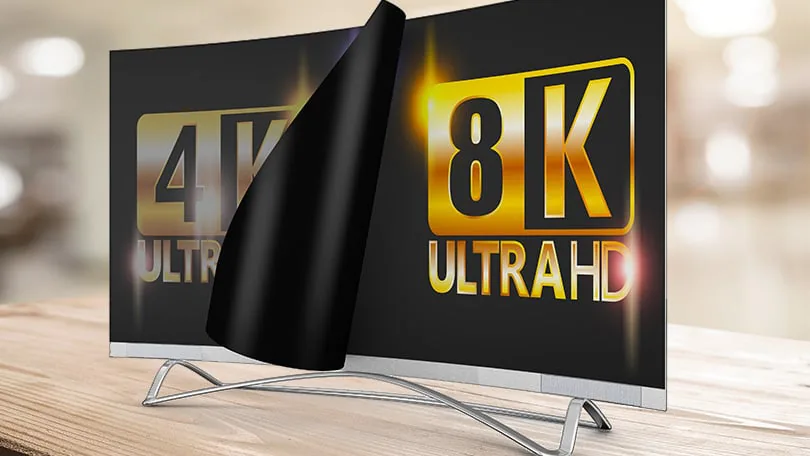
One of the most common questions we receive is: "How fast does my internet need to be for IPTV?" The answer depends on what quality you want to stream, how many devices you're using, and whether you're doing other things on your network at the same time.
Let's break it down for every quality level — from standard definition all the way up to 8K.
Internet Speed Requirements by Quality
| Stream Quality | Resolution | Bitrate | Min Speed (1 stream) | Recommended Speed |
|---|---|---|---|---|
| SD (Standard) | 480p | 1.5-3 Mbps | 5 Mbps | 10 Mbps |
| HD (High Definition) | 720p | 3-6 Mbps | 10 Mbps | 20 Mbps |
| Full HD | 1080p | 5-10 Mbps | 20 Mbps | 35 Mbps |
| UHD / 4K | 2160p | 15-25 Mbps | 50 Mbps | 75 Mbps |
| 4K HDR | 2160p HDR | 20-35 Mbps | 60 Mbps | 100 Mbps |
| 8K | 4320p | 50-100 Mbps | 100 Mbps | 200 Mbps |
Understanding These Numbers
Why "Recommended" Is Higher Than "Minimum"
The minimum speed is what you need for a single IPTV stream with nothing else using your internet. The recommended speed accounts for:
- Other devices on your network (phones, tablets, laptops)
- Background downloads and updates
- Wi-Fi signal loss (Wi-Fi typically delivers 50-70% of your wired speed)
- Network overhead and fluctuations
- A buffer margin for peak usage times
HD (720p) — The Sweet Spot
For most viewers, HD 720p offers a great balance between quality and bandwidth requirements.
- Internet needed: 10-20 Mbps
- Picture quality: Sharp and clear on TVs up to 40"
- Data usage: ~1.5 GB per hour
- Best for: Standard broadband connections, mobile streaming
Full HD (1080p) — The Standard
1080p is what most people consider "high quality" — it's what you get from cable TV and most streaming services.
- Internet needed: 20-35 Mbps
- Picture quality: Excellent on TVs up to 55"
- Data usage: ~3 GB per hour
- Best for: Fibre or fast broadband connections, most modern TVs
UHD / 4K (2160p) — The Premium Experience
4K delivers four times the detail of 1080p — every blade of grass in a football match, every pore on an actor's face. Stunning on large screens.
- Internet needed: 50-75 Mbps
- Picture quality: Cinema-quality on 55"+ TVs
- Data usage: ~7 GB per hour
- Best for: Fibre connections, 4K TVs, sports and nature content
🏟️ 4K for Sports
If you watch a lot of live sports, 4K makes a massive difference. Fast-moving action (football, F1, boxing) benefits enormously from the extra resolution. You'll see details you've never noticed before. Make sure you have at least 50 Mbps for a reliable 4K sports experience.
8K (4320p) — The Future
8K content is still in its early stages, but it's growing rapidly. Some live events, nature documentaries, and premium content are now available in 8K.
- Internet needed: 100-200 Mbps
- Picture quality: Unbelievably lifelike on 65"+ 8K displays
- Data usage: ~15-20 GB per hour
- Best for: Gigabit fibre connections, 8K TVs
⚠️ 8K Reality Check
You need a true 8K television (not just "8K upscaling") and a gigabit internet connection to benefit from genuine 8K streaming. The content library is still limited, but it's growing fast — especially for sports and documentary content.
Multiple Streams — The Math
If multiple people in your household are streaming simultaneously, you need to multiply:
| Scenario | Speed Needed |
|---|---|
| 1 person streaming 1080p | ~25 Mbps |
| 2 people streaming 1080p | ~50 Mbps |
| 1 person 4K + 1 person 1080p | ~75 Mbps |
| 2 people streaming 4K | ~100 Mbps |
| Family (3-4 streams mixed quality) | ~100-150 Mbps |
How to Test Your Speed
- Go to fast.com (by Netflix) or speedtest.net
- Test from the same device you stream on
- If possible, test with a wired Ethernet cable for accurate results
- Test at different times of day — speeds can vary by 30-50% between off-peak and peak hours
Tips to Maximize Your Speed
- Use Ethernet — A wired connection is always faster and more stable than Wi-Fi
- Upgrade your router — If your router is more than 3-4 years old, a Wi-Fi 6 router can significantly boost speeds
- 5GHz Wi-Fi — If you must use Wi-Fi, connect to the 5GHz band (faster but shorter range) instead of 2.4GHz
- Use a VPN — If your ISP throttles streaming, a VPN can restore your full speed. IPTV Central includes free VPN access with plans of 3+ months
- Close background apps — Ensure nothing is downloading or updating while you stream
📋 IPTV Central Quick Guide
Budget connection (10-25 Mbps): Stream in HD — great quality, works perfectly.
Standard connection (25-50 Mbps): Stream in Full HD 1080p — excellent quality on any TV.
Fast connection (50-100 Mbps): Stream in 4K — cinema-quality experience.
Fibre/Gigabit (100+ Mbps): Stream in 4K HDR or 8K — the ultimate experience.
Not sure? Start with HD and upgrade quality as you test your connection. IPTV Central supports all quality levels so you can always find the perfect balance for your internet speed.